Lixel K2 available to rent now.Request availability
From the blog · How-to
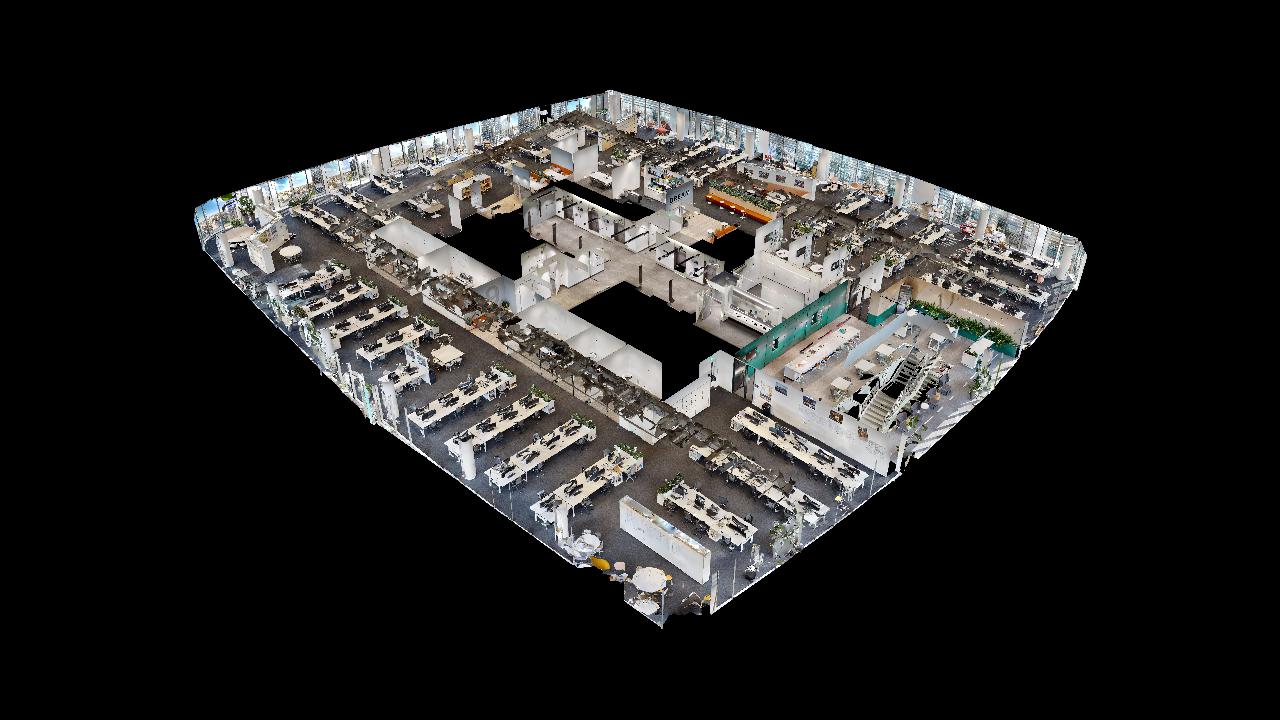
How to scan an occupied office in a single afternoon.

A how-to on renting an XGRIDS Lixel K2 and documenting an occupied commercial interior in Singapore yourself — in a single walk before renovation begins.

Operator capturing an occupied office with a handheld SLAM scanner

This is an illustrative field note, not a client case study. It uses no client names, dates, or results — only a realistic picture of how a rental and capture tend to run. Volumet rents the scanner; the modelling is done by the renter or a processing partner.

Your goal: existing-condition data before a fit-out

Say you need accurate existing-condition data for a CBD office floor before a renovation. The drawings are out of date, the space is partly furnished, and the tenancy is still occupied during working hours — so the capture has to be quick, non-disruptive, and complete in one visit.

Rather than buy a scanner for a one-off job, you rent an XGRIDS Lixel K2 for the week. Handheld SLAM capture suits a walkable, furnished interior far better than a tripod scanner that needs repositioning around every partition.

Dry rental, with onboarding for the first run

The Lixel K2 rents from S$2,300 per week (dry, subject to approval). For a first interior capture, adding the optional onboarding session is the safer choice — a short Zoom covers setup, walking pace, loop closures, and how to export clean point clouds, the details that decide whether the data is usable. Teams with prior SLAM experience may skip onboarding and run the dry rental alone. Final pricing depends on dates, duration, deposit, insurance, and logistics.

  • Weekly rental, project-based extensions possible
  • Onboarding recommended for first-time renters
  • Pickup or delivery in Singapore arranged per rental
  • You keep the captured datasets

One walk, planned in advance

Your capture comes down to a planned single loop:

  • Plan. Map a continuous walking route that closes loops through corridors and rooms; flag glass, mirrors, and tight spaces.
  • Capture. Walk the floor at a steady pace with the rented K2, keeping overlap through doorways and returning to the start to close the loop.
  • Process. Run the capture through LixelStudio to register and clean the point cloud on the same day.
  • Export. Export LAS, E57, or RCP for the design and BIM environment, plus a coloured cloud for review.

What you walk away with

Typical outputs from an interior capture you run, subject to device, software, and processing workflow:

  • Registered point cloud — a measurable coloured cloud of the floor (LAS / LAZ / E57 / RCP) for reference in Revit, AutoCAD, or CloudCompare.
  • Scan-to-BIM reference — a reference layer your BIM team or a processing partner can model existing conditions against.
  • Mesh for review — a lightweight mesh for quick visual review and coordination with stakeholders.

Plan around the hard parts

Interiors have predictable failure modes. Glass and mirrors confuse any SLAM device, reflective floors add noise, and a furnished space hides surfaces you will want later. Booking access during quieter hours and planning the route up front prevents most re-scans. And to be clear: these are reference workflows, not certified survey deliverables.

  • Glass, mirrors, and glossy floors need careful technique
  • Occupied spaces may require after-hours or weekend access
  • Tolerance-critical work — agree expectations before capture
  • Reference workflow, not a certified survey deliverable
Related pages

Keep exploring.

Interior capture, answered.

Is this based on a real client project?
No. This is an illustrative field note showing a realistic way rented Lixel K2 equipment might be used for interior capture. It uses no client names, dates, or results.
How long does an interior capture take?
A single tenancy floor of a few hundred square metres is often a short capture once access is arranged, with processing in LixelStudio afterwards. Larger or cluttered spaces take longer and may need multiple loops.
Which rental tier suits a first interior capture?
The Lixel K2 rents from S$2,300 per week (dry). First-time renters are usually recommended to add the optional onboarding session, so a Zoom call covers setup, capture technique, and file handling before the site visit.
What can I do with the point cloud afterwards?
Interior point clouds support as-built reference, area take-offs, clash checking, and Scan-to-BIM reference. Volumet rents the equipment; modelling is done by your team or a processing partner.

Have a similar interior?

Send the floor area, access window, and intended output. We will confirm whether a Lixel K2 rental fits and what it would cost.

Request rental availability